Shopify
The Genvoris Virtual Try-On app adds a photorealistic AI try-on to your product pages. Install it, choose which products should offer try-on, and drop one block into your theme.
There is no separate account to create and no API key to paste — the app provisions everything for your store during install.
What the shopper sees
A try-on button appears under the product, on the products you enable.
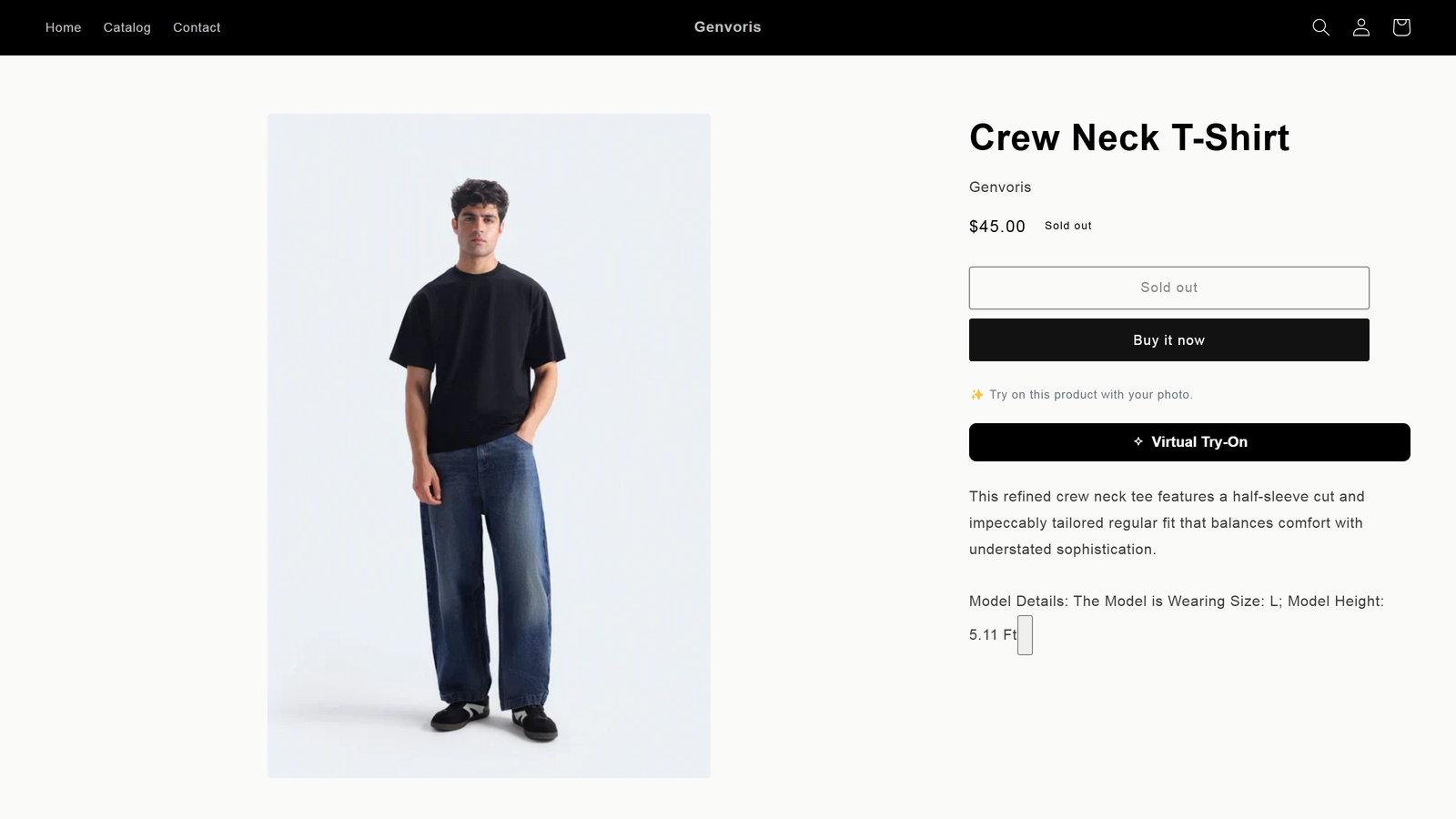
Clicking it opens the try-on panel. Genvoris reads the product and writes photo guidance specific to that garment, so shoppers know what kind of picture will actually work.
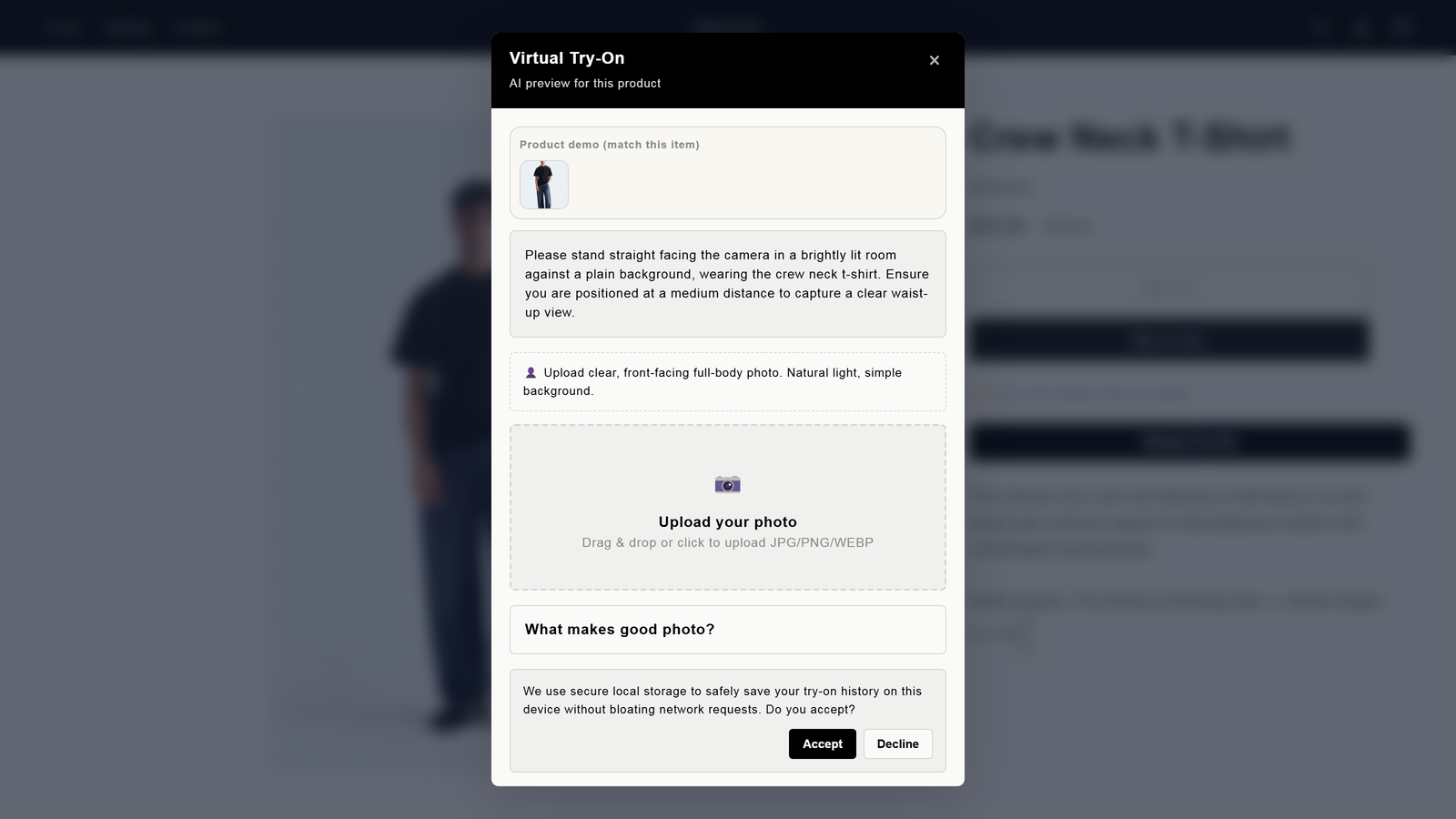
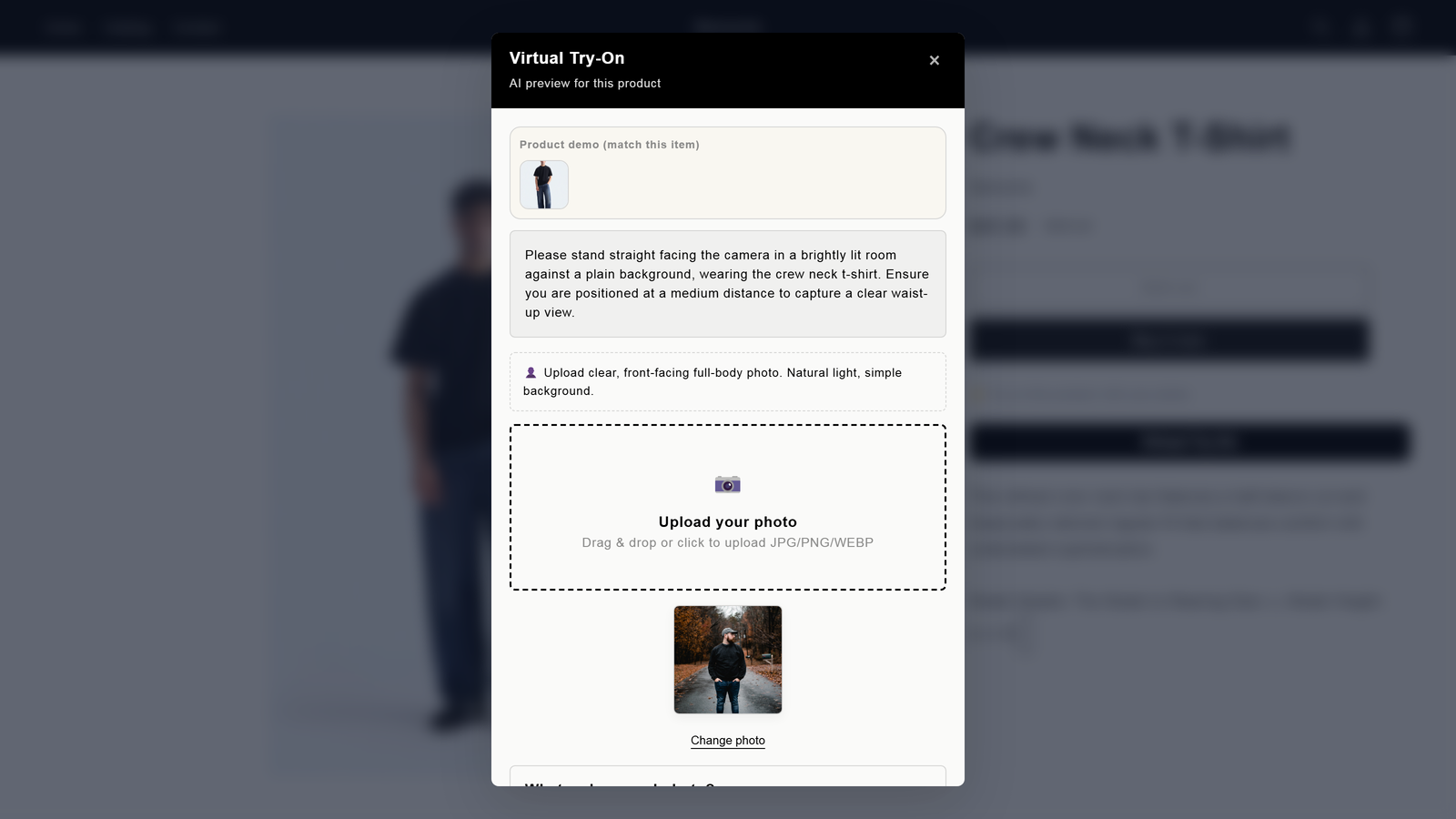
The shopper uploads a clear, full-body photo. Head-to-toe portraits work; passport-style crops are rejected with an explanation rather than a failed generation.
The result is generated in 8–10 seconds. Pose, background, lower body and accessories are preserved — only the garment changes.
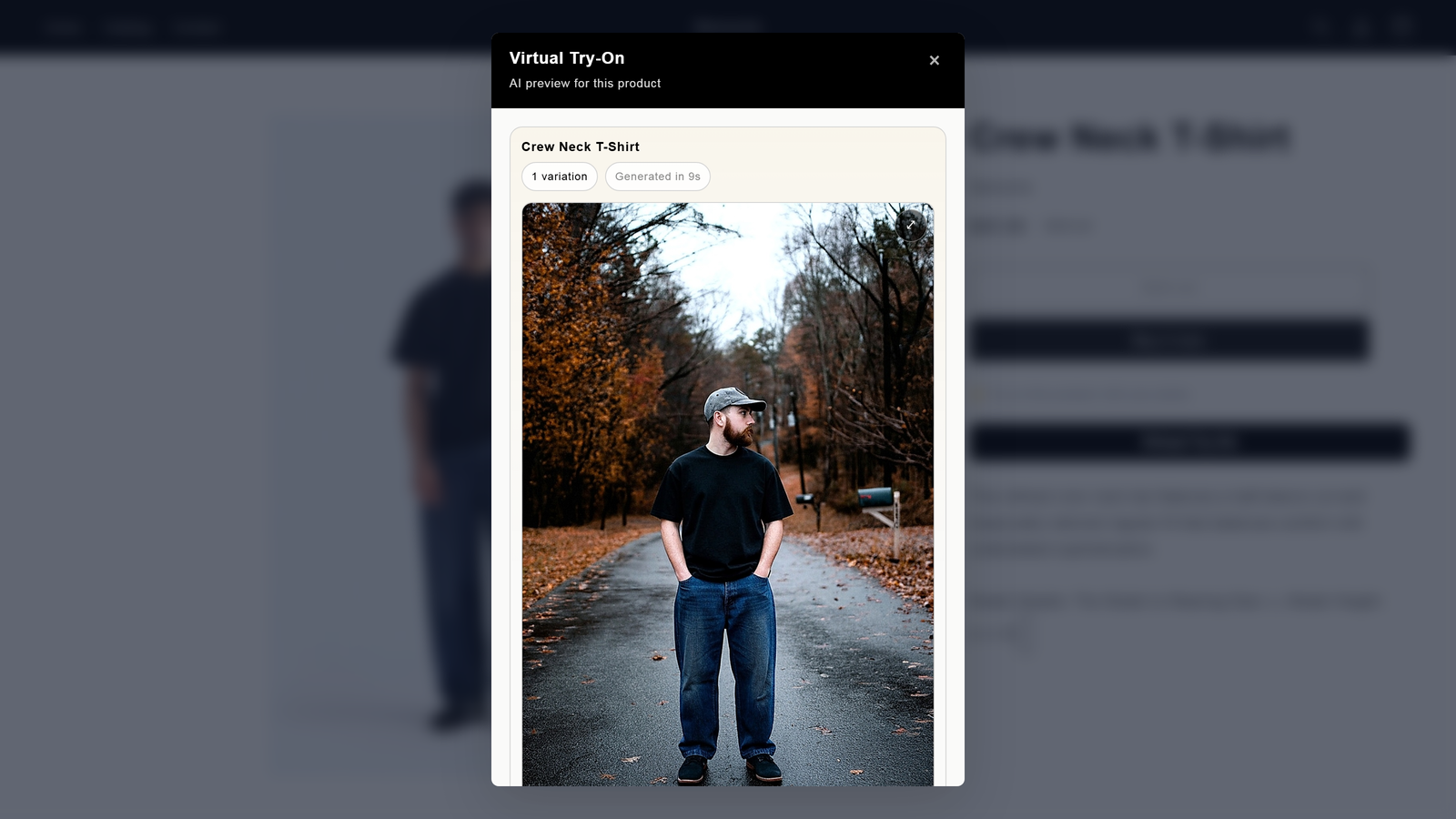
From here the shopper can download the image, share it, try another photo, or rate the result.
Setting it up
1. Install
Install from the Shopify App Store. On the permission screen you will see the app asks only for product access — see Permissions below.
Setup completes during install. When the app opens, it is already connected.
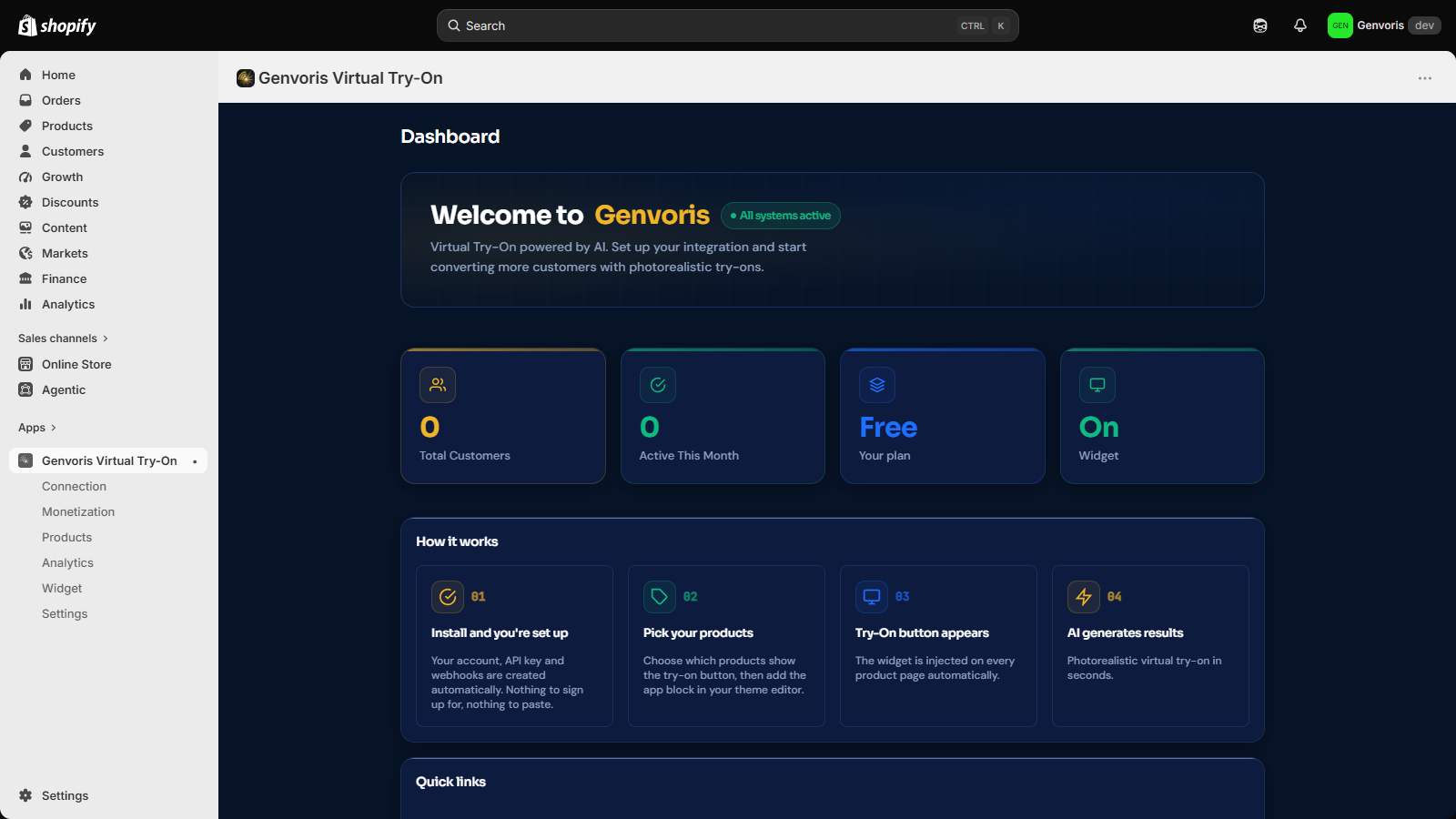
2. Confirm the connection
Connection shows the account, the masked API key, your shop domain, when it connected, and webhook status. You do not need to do anything here — it is a status page, not a setup step.
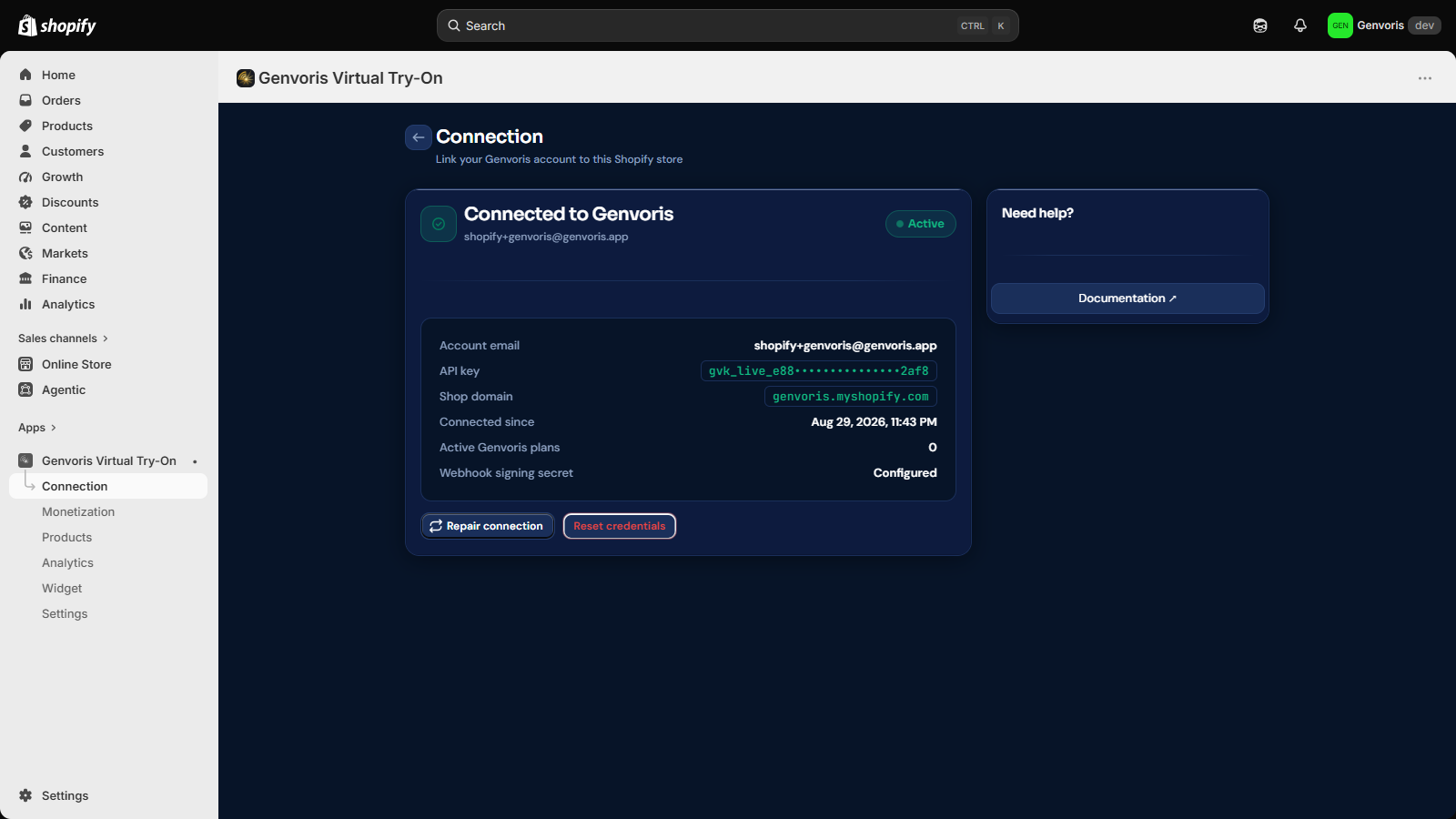
If setup ever fails (for example a transient network problem during install), this page has Repair connection, which re-runs provisioning. The app also repairs itself automatically on the next page load.
3. Choose your products
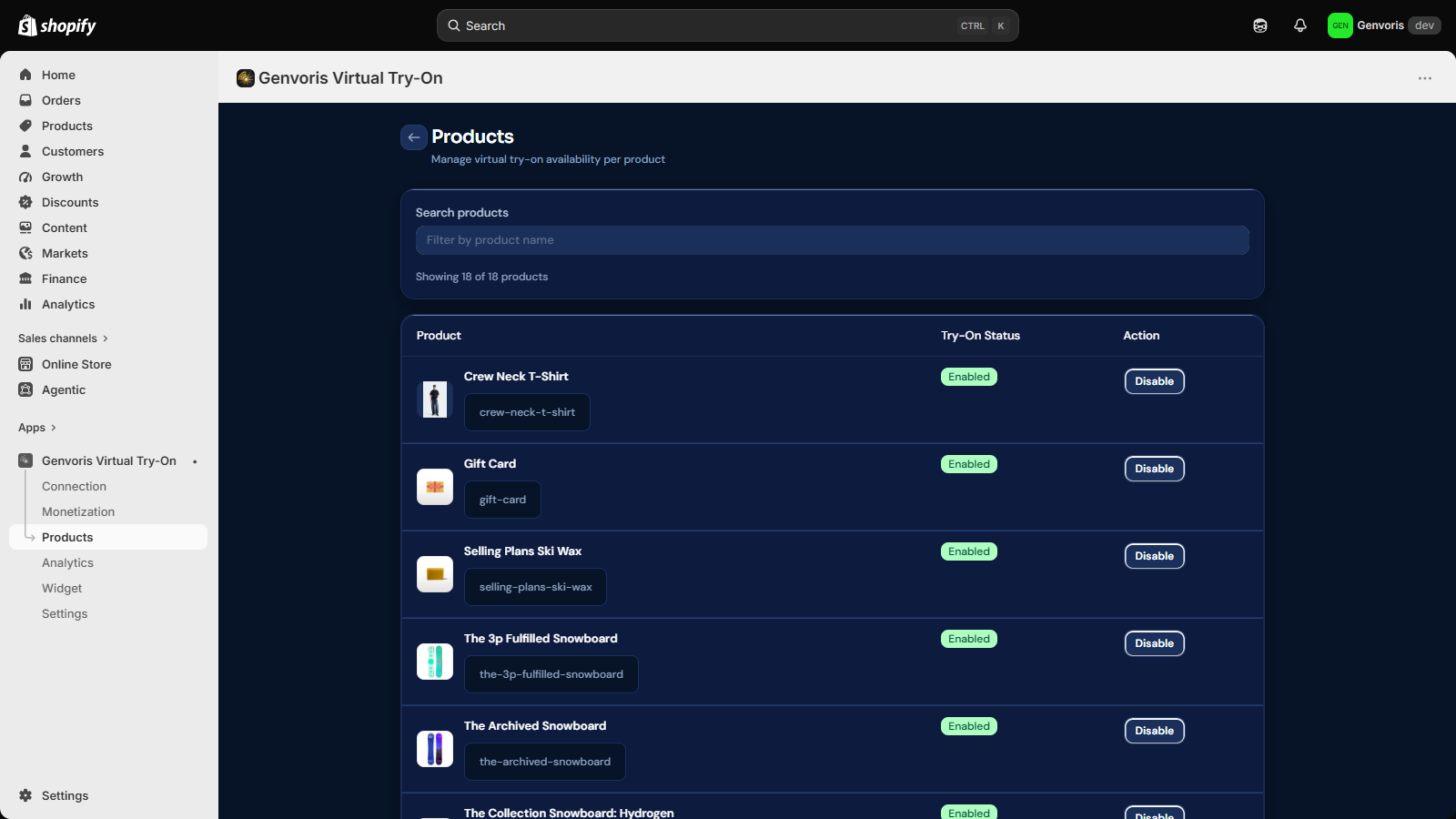
Products controls which products offer try-on. Try-on suits apparel and home textiles; you generally do not want it on gift cards or accessories.
4. Configure the widget
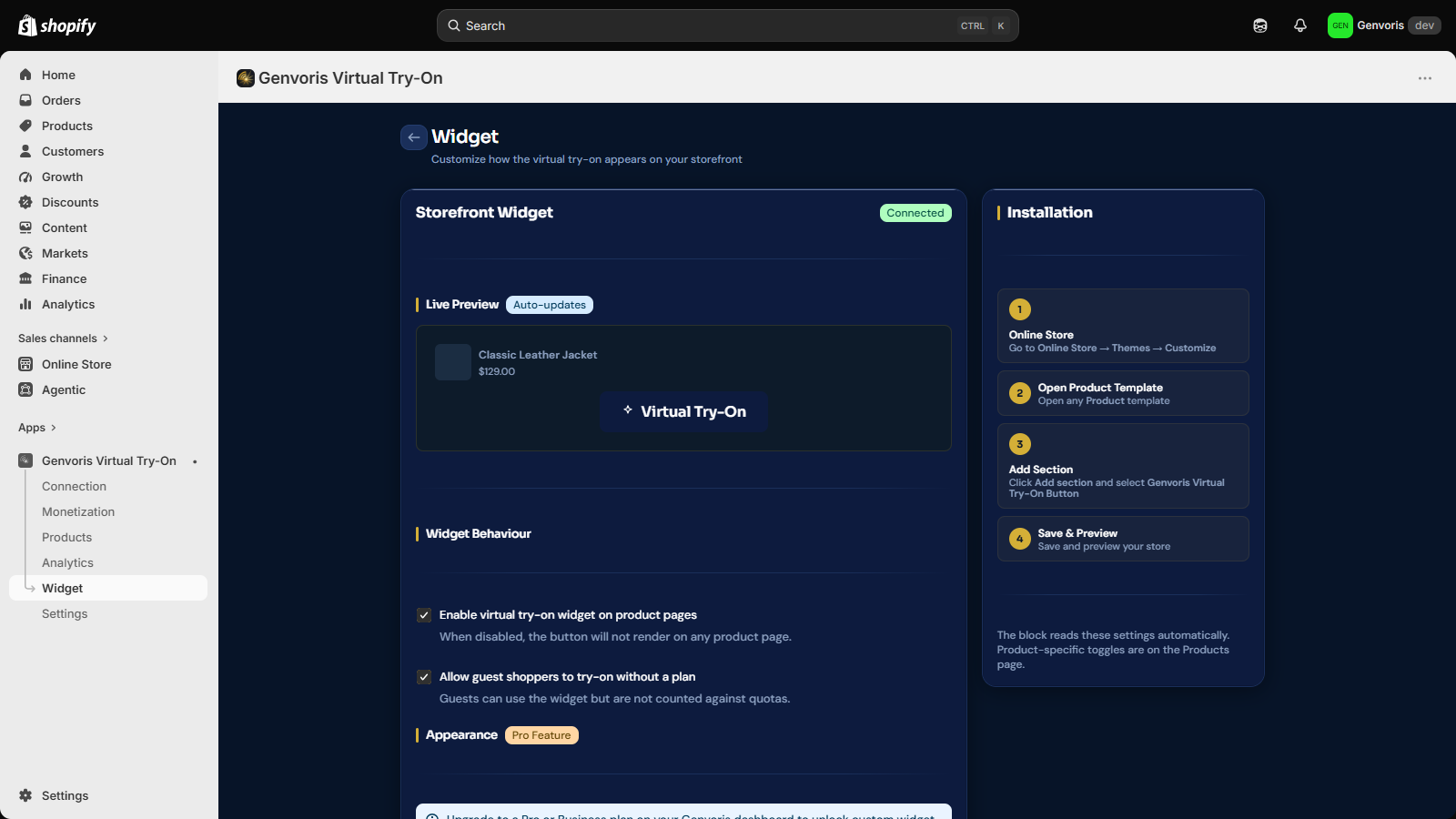
Widget controls placement, button text, and appearance.
5. Add the theme block
Go to Online Store → Themes → Customize, open a product template, choose Add block, and pick Genvoris Virtual Try-On. Save.
This is the only step that touches your theme, and it is done through
Shopify's own editor — no code edits, no theme.liquid changes.
Pricing
App charges are handled entirely by Shopify App Pricing. Your Genvoris plan appears on your Shopify invoice alongside your other apps; there is no separate billing relationship and nothing to pay for off-platform.
| Plan | Price | Try-ons / month | Variations |
|---|---|---|---|
| Free | $0 | 30 | 1 |
| Starter | $27 / month | 200 | 1 |
| Growth | $130 / month | 1,000 | 4 |
| Pro | $380 / month | 3,000 | 4 |
| Business | $550 / month | 5,000 | 4 |
Development stores are free on every plan, so you can evaluate the app fully before paying anything.
Permissions
The app requests two scopes:
| Scope | Why |
|---|---|
read_products | List your products in the admin UI so you can choose which ones offer try-on. |
write_products | Provision the selling-plan product used by storefront pricing features. |
The app requests no protected customer data. It does not read orders,
customers, or checkout data. Storefront try-on calls are signed by Shopify
through the App Proxy (/apps/genvoris/*), so your API key stays server-side
and never reaches the browser.
The GDPR privacy webhooks (customers/data_request, customers/redact,
shop/redact) are wired up automatically.
Storefront pricing models
Genvoris supports charging your own shoppers for try-ons — subscription gating, credits with purchase, pay-per-use, and freemium.
These are disabled in the current version and shown as Coming soon on the Monetization page. They depend on order-scope access that this release deliberately does not request. The active model is Free for all visitors: every shopper can try on, within your plan's monthly quota.
This is separate from how Genvoris bills you. Storefront pricing is revenue between you and your shoppers; Genvoris is billed only through Shopify App Pricing.
Troubleshooting
The button does not appear on my product page. Check three things, in order: the product is enabled under Products, the widget is on under Widget, and the Genvoris Virtual Try-On block has been added to the product template in the theme editor. The third is the one most often missed.
A shopper's photo is rejected. Try-on needs a full-body, head-to-toe portrait. Selfies and passport crops are rejected on purpose — generating from them produces poor results, so the app declines rather than returning something unusable.
The connection shows as not configured. Open Connection and use Repair connection. This re-runs provisioning and issues fresh credentials.
Results look wrong or contain artifacts. Generation is probabilistic. Photo quality is the single biggest factor: even lighting, a plain background, a straight-on pose, and the full body in frame all improve results significantly. Shoppers can retry with a different photo.
Support
Email support@genvoris.org, or reply on the Shopify App Store listing.